Santa Proof — Support

Welcome to Santa Proof Support!

Santa Proof is a Christmas photo editor that lets you add realistic Santa Claus artwork to your own pictures and create festive holiday memories.

How to Use Santa Proof

  1. Open Santa Proof and select a photo from your library or take a new picture.
  2. Choose a Santa image from the collection.
  3. Move, resize, and position Santa in your photo.
  4. Adjust lighting, shadows, and effects.
  5. Save your finished photo or share it with friends and family.

Free and Premium Features

Free Starter

Includes 6 Santa images.

Santa Collection

A one-time purchase that unlocks 18 additional Santa images, giving you 24 in total. Advertisements may still appear.

Complete Christmas

A one-time purchase that unlocks all 60 Santa images and removes advertisements.

How to Restore Purchases

If you have previously purchased Santa Collection or Complete Christmas:

  1. Open Santa Proof.
  2. Open the Premium or purchase screen.
  3. Tap Restore Purchases.
  4. Follow any instructions displayed by Apple’s purchasing system.

Use the Apple Account associated with your original purchase.

Frequently Asked Questions

Why are some Santa images locked?

The free version includes 6 Santa images. Additional images are available through optional in-app purchases.

Do I need an internet connection?

Core photo-editing features are designed to work on your device. Some features, including purchases, restoration, and advertisements, may require internet access.

Are my photos uploaded to a server?

Photo compositing is performed on your device. Santa Proof does not require uploading your photographs to our servers to create your Santa images.

Why isn’t my purchase showing?

Check your internet connection and use Restore Purchases. Make sure you are using the Apple Account associated with the purchase.

Can I receive a refund?

Purchases are processed by Apple. Refund requests can be made at:

https://reportaproblem.apple.com/

How can I manage advertising privacy settings?

Depending on your region and device settings, advertising consent choices may be available within the app. You can also review the privacy controls provided by iOS.

Privacy Policy

Please review our Santa Proof Privacy Policy for more information about personal data and third-party services.

Contact Support

Need help with Santa Proof, purchases, or photo editing?

Contact us using our support form:

When contacting support, please include the app name, device model, iOS version, and a brief description of the issue. Please do not send passwords, payment card details, or sensitive photographs.

Santa Proof — Privacy Policy

Santa Proof — Privacy Policy

Last updated: October 23, 2026

Santa Proof is a Christmas photo-editing application published by the developer of Santa Proof (“we,” “us,” or “our”). This Privacy Policy explains how information is handled when you use the app.

1. Photos and Camera

Santa Proof allows you to take photos or select images from your device and add Santa Claus artwork, lighting, shadows, and other visual effects.

Photo compositing and editing are performed on your device. We do not operate a service that requires you to upload your personal photos to our servers to create Santa Proof images.

The app accesses your camera or photo library only when you use the relevant functionality and grant the permissions required by your device.

Finished images are saved or shared when you choose to do so. Images shared through other apps or services are subject to those services’ privacy practices.

2. Advertising

The free version of Santa Proof and the Santa Collection upgrade may display advertisements provided through Google AdMob.

Advertising technology may process information such as device identifiers, IP addresses, approximate location derived from IP addresses, advertising interactions, and diagnostic or performance information, depending on device settings, consent choices, and applicable law.

Google’s privacy practices are described at:

https://policies.google.com/privacy

The Complete Christmas in-app purchase removes advertisements from Santa Proof.

3. Advertising Consent and Privacy Choices

Where required, Santa Proof uses a consent-management process to present applicable advertising privacy choices.

You may also manage applicable advertising or tracking permissions through your device settings.

The availability of particular consent controls can vary by country, operating system, and applicable regulations.

4. In-App Purchases

Santa Proof offers optional, one-time in-app purchases:

  • Santa Collection — additional Santa artwork
  • Complete Christmas — the full Santa collection and removal of advertisements

Payments are processed through Apple’s App Store. We do not directly receive your complete payment card details.

The app uses purchase information provided by Apple’s purchasing system to verify purchases, unlock content, and restore access.

Apple’s privacy information is available at:

https://www.apple.com/legal/privacy/

5. App Functionality and Local Storage

Santa Proof may store app preferences, editing state, and purchase-entitlement information on your device to provide its features.

Removing the app may delete locally stored information, including unsaved editing work. Purchases may be restored through the app’s Restore Purchases function, subject to Apple’s purchase records.

6. Third-Party Services

Santa Proof integrates third-party technology for advertising, consent management, and Apple in-app purchases.

These services may process information according to their applicable privacy practices. We review our integrations and aim to provide accurate information about their data-handling practices.

7. Children’s Privacy

Santa Proof is a Christmas-themed photo-editing app that may be enjoyed by families. We do not knowingly request that children submit personal photographs or contact information to us through an in-app account.

Parents and guardians should supervise children’s use of device photo libraries, sharing features, and optional purchases.

8. Data Retention and Deletion

Photos and editing data stored locally on your device remain under your control, subject to your device’s storage and backup settings.

You can remove locally stored application data by deleting the app, subject to any operating-system backups.

Data processed by Apple or advertising partners is subject to their respective retention and privacy procedures. You may contact us with privacy questions or requests.

9. Security

We take reasonable steps to protect the information handled by our app. However, no electronic system or transmission method can be guaranteed completely secure.

10. Changes to This Policy

We may update this Privacy Policy when our app, service providers, or legal requirements change. The updated version will be published on this page with a revised effective date.

11. Contact Us

For privacy questions or requests concerning Santa Proof, please contact us through:

Donald Trump Call Prank : Fake Phone Call

THE BEST DONALD TRUMP CALL APP ◎

Would you like your president? DONALD TRUMP FAKE CALL

This is TRUMP FAKE CALL Joke

This app is intended for entertainment purposes only and does not provide true DONALD TRUMP Call.

Prank Donald Trump joke – a joke is a game application where you can make it look as if calling you Donald Trump! Frightened Your Child, including fake call Donald Trump and show a boy, he will be very surprised!

ATTENTION! This is not a real calling and only an imitation! The app does not bear any harm and is only for fun!

Some Reviews

Help my wife left me

My wife left me because of this app she started to have cheated on me with the phone becaus3 of this DUMB APP

Great way to prank friends and family

I love it. Its helping me make America great again

After the monumental failure of the Mueller Witch hunt,

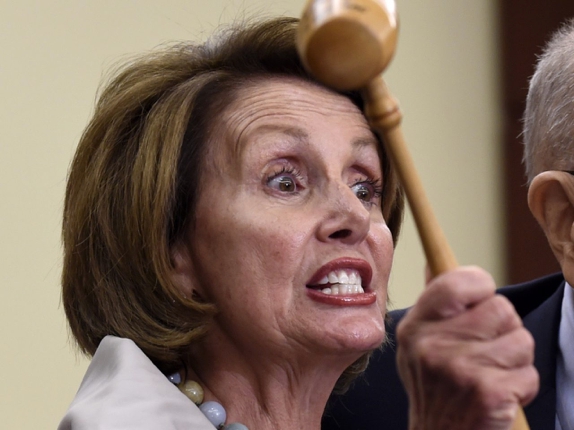
Nancy Pelosi is on the verge of a nervous breakdown!

She is demanding democrats everywhere take action

And do whatever it takes to stop President Trump in 2020,

Including keeping this out of the hands of patriotic Americans!

Click here to see what’s this is all about…

Rumor has it that if she is successful the price will go up 4x…

That’s why conservatives are stocking up on what may became a symbol of our current times

The real story behind this is revealed here

Princess Coloring Pages Beauty and the Beast

Princess Coloring Pages Beauty and the Beast for Kids: Beautyful Girls Princess coloring book; there are extra pictures of cartoons; just a simple, great, easy to use coloring book download at App Store for iPhone and iPad.

The Beauty and the Beast Coloring Book : Coloring Pages Free game for toddler, kids, boy, girl or children. Education about color and imagine to develop skills and creativity for children games, painting, who can teach children to learn and develop their skills in the selection of colors. Play the game with their parents and family. To strengthen the relationship between painting and share others to see. The preparation before school for boys, girls and preschool kids or first grade kids.

Fake Girlfriend Calling Joke – #1 Prank Call App

Girlfriend Fake Call Joke

This app is intended for entertainment purposes only and does not provide true Girlfriend Call. Download at App Store

Prank Call Girlfriend joke – a joke is a game application where you can make it look as if calling you Girlfriend! Frightened friends, including fake call Girlfriend and show a friend, he will be very surprised!

ATTENTION! This is not a real calling and only an imitation! The app does not bear any harm and is only for fun!